
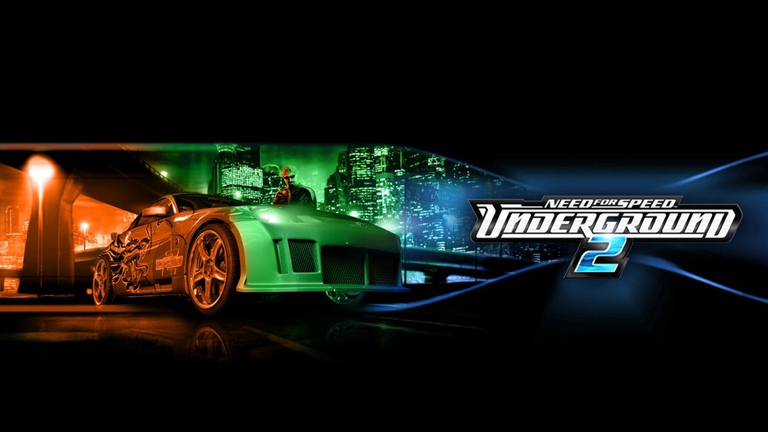
Revving up your browser and hitting the neon-lit streets of Bayview has never been easier with nfsu2 online. Whether you are chasing underground racing glory or tuning up a vintage import, nfsu2 online delivers a nostalgic yet fresh multiplayer experience straight to your desktop. Diving back into this legendary underground racing world lets you experience the ultimate time capsule of early 2000s automotive culture without complex installations.
The Evolution of Browser-Based Street Racing
Playing classic racing titles used to require tracked-down discs, legacy operating systems, or cumbersome emulators. Today, browser technology allows enthusiasts to load robust PC runtimes smoothly. Community platforms have breathed new life into the genre, welcoming thousands of active racers daily.
The transition to web-based platforms preserves the core mechanics that made the franchise iconic. Players can explore open-world city maps, participate in structured career paths, and challenge rivals in bustling online lobbies.
| Feature | Original PC Release | Browser Platform |
|---|---|---|
| Installation | Required CD-ROM / ISO | Zero installation (WebGPU) |
| Multiplayer | Legacy matchmaking | Modern active community lobbies |
| Save Data | Local profile files | Browser local storage & exports |
| Accessibility | Outdated system requirements | Modern desktop Chrome or Edge |
Getting Started: System Requirements and Controls
Jumping into the action requires an updated desktop browser like Google Chrome or Microsoft Edge with hardware acceleration enabled. The runtime verifies WebGPU, shared memory, and local storage capabilities before launching the main menu.
Mastering the default control scheme ensures you can handle tight hairpins and high-speed highway sprints. According to player experience reports, connecting a physical gamepad provides superior throttle control compared to keyboard inputs, though standard keyboard mappings remain fully responsive.
| Action | Default Keyboard Input | Alternative Input |
|---|---|---|
| Accelerate / Brake | Up / Down Arrow | W / S Keys |
| Steer | Left / Right Arrow | A / D Keys |
| Nitrous Oxide | Alt Key | Controller Trigger |
| Handbrake | Spacebar | Controller Button |
| Camera / Look Back | C / B Keys | Right Analog Stick |
For more official background on the franchise’s heritage, you can explore updates via Electronic Arts.
Customization, Tuning, and Car Building
Deep visual and performance customization remains the heartbeat of the experience. Starting with modest vehicles, players earn cash through career races and online events to upgrade engines, ECUs, and suspensions.
Community reports highlight that fine-tuning parts on the dyno significantly alters horsepower, torque curves, and handling characteristics. Whether you prefer aggressive wide-body kits, vibrant pearlescent paints, or custom audio trunks, every modification impacts your car’s visual rating and performance.
| Upgrade Category | Available Modifications | Primary Benefit |
|---|---|---|
| Engine Packages | Street, Pro, Race kits | Increases top speed and acceleration |
| ECU & Electronics | Fuel pressure regulators, limiters | Optimizes power delivery across RPMs |
| Suspension | Springs, shocks, sway bars | Enhances cornering stability |
| Graphics & Body | Bumpers, skirts, spoilers, vinyls | Boosts visual rating and styling |
Multiplayer Lobbies, Active Players, and Damage Mods
One of the most exciting developments in recent community updates is the sheer volume of active participants. With concurrent online player counts frequently exceeding 14,000, finding populated servers for circuit races, sprints, and drift battles takes seconds.
Player experience notes that community-driven servers often feature advanced mod settings. For instance, enabling the crash foreign cars mod introduces realistic online damage mechanics, causing dents, loose body panels, and scratched bumpers during high-speed collisions.
| Lobby Aspect | Standard Setup | Community Modded Setup |
|---|---|---|
| Active Players | Thousands online daily | High-density populated rooms |
| Race Modes | Circuit, Sprint, Drift, URL | Expanded custom event brackets |
| Vehicle Damage | Cosmetic or disabled | Dynamic physical damage and scratches |
| Matchmaking | Direct server browser | Peer-to-peer and community hosts |
Career Progression and Event Payouts
Balancing single-player career missions with online multiplayer events is essential for maximizing your in-game bank balance. Early career races provide foundational funds, while sponsored events offer larger payouts with specific contractual stipulations.
Winning consecutive races unlocks exclusive cutscenes, advanced car lots, and unique performance parts. Managing your finances carefully ensures you can afford high-end wheel fitments, custom neon underglow, and nitrous upgrades before tackling elite competition.
| Race Type | Typical Distance | Average Payout | Strategic Focus |
|---|---|---|---|
| Circuit | 1.5 to 3.5 miles | $800 – $1,200 | Racing lines and cornering speed |
| Sprint | Variable layout | $400 – $900 | Quick acceleration and clean passing |
| Drift | Arena / Stadium | $300 – $900 | Angle maintenance and multiplier chains |
| URL (Underground Racing League) | Closed tracks | $1,000+ | Competitive positioning and traction |
Frequently Asked Questions
Can I play nfsu2 online without installing software?
Yes! The browser platform runs entirely within updated desktop browsers like Chrome or Edge using WebGPU and cached assets, eliminating traditional installation hurdles.
How do I save my progress when playing in a browser?
You must save your game through the in-game menu before quitting. Additionally, you can export profile backups using player options to ensure your custom cars and career data remain secure.
Are gamepads supported for steering and acceleration?
While default keyboard controls use arrow keys and W/A/S/D, most modern USB and Bluetooth gamepads work seamlessly once configured in the game settings.
What causes slow loading times on the initial startup?
The first launch compiles the game engine, initializes graphics shaders, and caches essential startup files. Keeping the browser tab active and visible ensures a smooth initial load.