
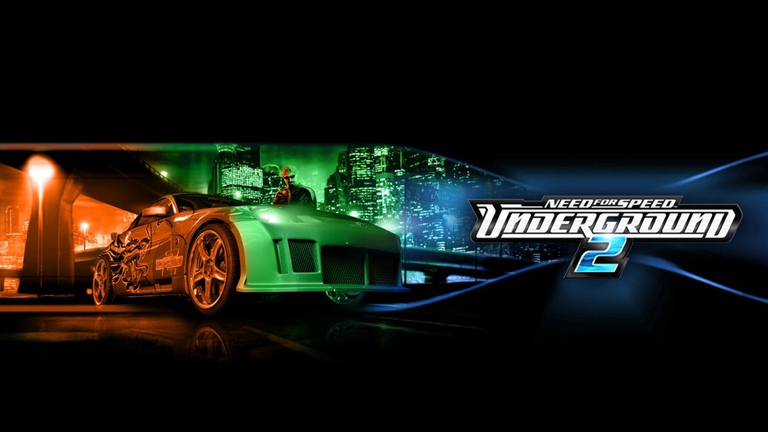
The legendary street racing scene of the early 2000s has found a surprising new home through the innovative world of the nfsu2 browser ports. Whether you are hunting for a quick arcade fix or tracking the latest community-driven developments, running nfsu2 browser builds has completely transformed how enthusiasts experience classic tuning culture without messing with complex Windows compatibility patches.
Understanding the Rise of Web-Based Street Racing
The push to bring legacy software to modern web environments has accelerated dramatically. Fans who grew up customizing hatchbacks and dodging police pursuits can now access tailored editions directly through compatible web clients. These independent community projects—completely separate from Electronic Arts—allow players to dive straight into the action.
| Project Name | Primary Platform Focus | Key Architecture & Features |
|---|---|---|
| nfsu2.xyz | PC Rebuild / Port | Runs native PC code, streams data, caches directly in your browser. |
| nfsunderground2.site | PlayStation 2 (PS2) Port | Experimental web port featuring two-player online rooms and virtual memory cards. |
As community reports highlight, these web iterations bypass the traditional, sometimes frustrating retail Windows installation paths. While an official EA browser edition never existed, dedicated developers have stepped in to bridge the gap.
PC Rebuild vs. PS2 Port: Which Experience Fits You?
Choosing where to play depends on what kind of technical setup and gameplay style you prefer. The two primary web variants handle data and multiplayer in distinct ways.
| Feature / Aspect | nfsu2.xyz (PC Port) | nfsunderground2.site (PS2 Port) |
|---|---|---|
| Save Data Storage | Browser local storage (separate from local PC files) | Browser-stored virtual memory card (.ps2 import/export) |
| Multiplayer Setup | Custom server architecture | Frame-by-frame input synchronization for 2-player rooms |
| Monetization / Ads | Varies by host | Generally carries on-site advertisements |
| Initial Loading | Caches data on first run | Requires stable network for frame sync |
Player feedback suggests that using a steady Wi-Fi connection for the initial load is crucial, as streaming asset data can consume significant bandwidth before the initial race starts.
Latest Updates and Under-the-Hood Improvements
The ecosystem surrounding these web builds receives constant refinement. Community updates roll out at a rapid pace, addressing both visual fidelity and gameplay balance.
According to recent developer logs and creator observations, major improvements include:
- Custom License Plates: Players can now customize and swap personalized license plates directly through the online menus.
- Stance Adjustments: Body shops now support fine-tuning for wheel camber, wheel offset, and tire widths.
- Balance Tweaks: The notoriously overpowered Toyota Corolla received adjustments to reduce its dominance in circuit, sprint, and URL races.
- Visual Enhancements: Improved anti-aliasing delivers much smoother edges, alongside sharper rendering for roads and angled buildings.
- Cosmetic Crash Damage: Visual-only dents, scratches, and detached car parts add immersion during high-speed collisions.
- Audio Touches: The signature transmission whine from Need for Speed Carbon has been integrated into the sound profile.
| Update Category | Specific Feature Added | Impact on Gameplay |
|---|---|---|
| Customization | Wheel Camber & Offset | Greater visual control over car stance in the body shop. |
| Balance | Corolla Power Nerf | Levels the playing field across circuit and sprint events. |
| Graphics | Anti-Aliasing & Sharper Textures | Cleaner visual fidelity on modern displays. |
| Realism | Visual Crash Damage | Dents and scratches reflect driving performance visually. |
Technical Safety and Best Practices for Web Gamers
When exploring web-based ports, security should always be your top priority. Because these projects operate independently, keeping your system safe requires practicing smart digital hygiene.
| Security Rule | What to Do | What to Avoid |
|---|---|---|
| Execution Path | Keep everything contained inside the browser window. | Never run unknown .exe files downloaded from unverified mirror sites. |
| Security Software | Keep your built-in browser protections active. | Do not disable your antivirus or firewall just to launch a port. |
| Source Verification | Stick to trusted community hubs and official project pages. | Avoid random embedded mirrors that demand suspicious permissions. |
Frequently Asked Questions
Does Electronic Arts officially support an nfsu2 browser version?
No. Electronic Arts does not host, endorse, or operate any official browser editions of the game. All web-based builds are independent community-driven recompiler projects.
Is the browser version the entire game?
Yes, projects like the PC rebuild run the core game code while streaming necessary assets directly into your browser cache. Make sure you have a reliable internet connection when loading it for the first time.
Where are my game saves stored when playing online?
Unlike a traditional retail installation that writes files to local application folders, browser ports store save data within the specific storage architecture of the web platform you are using. They are not automatically compatible with standard PC local saves.
How can I keep up with the newest patches and features?
The development teams frequently publish detailed change logs and developer updates. Many players also join dedicated community Discord servers to track daily bug fixes, visual upgrades, and multiplayer room status.