
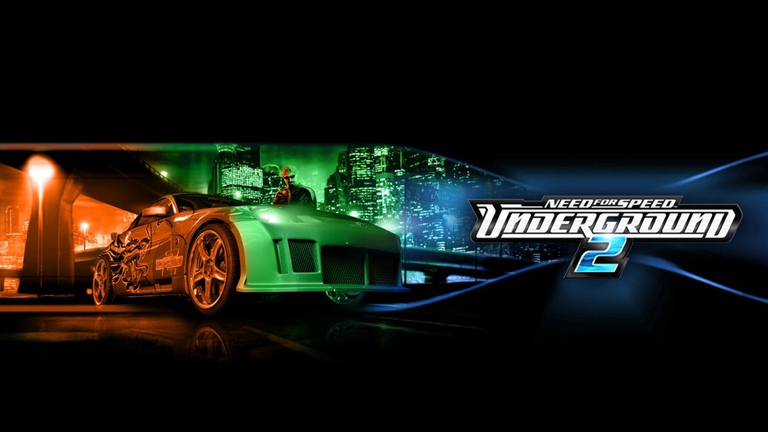
Need for Speed: Underground 2 remains an unmatched icon of street racing culture, but its 2004 visuals can feel dated on modern displays. Installing an nfsu2 graphics mod completely transforms Bayview, breathing new life into your favorite classic ride with enhanced lighting, sharper textures, and contemporary visual effects. Whether you are reliving the nostalgia or experiencing the peak of tuner culture for the very first time, upgrading your game’s presentation is essential for a modern setup.
Revamping a classic title requires the right balance of texture overhauls, lighting adjustments, and performance tools. Without a proper nfsu2 graphics mod, players often struggle with low-resolution textures, muddy night skies, and stretched aspect ratios on widescreen monitors. In this comprehensive guide, we will explore the best visual upgrades available in the community, breaking down how each option elevates your neon-lit racing experience.
Essential Visual Upgrades and Texture Overhauls
Modernizing a game that is over two decades old requires more than just a simple configuration tweak. Community creators have spent years developing high-definition texture packs and advanced shader presets to bring Bayview into the modern era. When searching for the best nfsu2 graphics mod, texture replacement projects are usually the first stop for enthusiasts looking for crisp environments.
Projects like Project Revitalized and various HD texture packages replace low-resolution assets with high-definition alternatives. These mods upgrade everything from road surfaces and building facades to 4K clouds and atmospheric sky domes, making every corner of the city pop with detail.
| Mod Name | Core Focus | File Size | Community Reception |
|---|---|---|---|
| Project Revitalized | 4K Sky domes, HD Shadows, Reflections | 442.7 MB | Highly Endorsed (1.7k+ Downloads) |
| Need for Speed Underground 2 Unbound | Next-gen proxy textures and clarity | 35.8 MB | Very Popular (897 Downloads) |
| HD Neon | Upgrades low-res neon glow to crisp 2K | 619.0 KB | Well Received |
| Need for Speed Underground 2 Unbelievable | Comprehensive environment texture refresh | 65.9 MB | 1.5k+ Downloads |
As shown in player reports, combining a heavy texture replacement mod with custom environment assets dramatically changes the atmosphere of night racing. It ensures that asphalt reflects your custom neon glows accurately without breaking the iconic art style.
Lighting, Bloom, and ReShade Presets
Lighting is the heart and soul of any street racing game, particularly one set entirely at night. Vanilla lighting can look washed out or overly dark on modern LED and OLED monitors, which makes applying an nfsu2 graphics mod with advanced shader support crucial for achieving that authentic cinematic feel.
ReShade presets and modern post-processing tools allow players to inject deeper night lighting, vibrant neon reflections, and sophisticated color grading into their gameplay. These adjustments sharpen contrast and introduce subtle bloom effects that mimic modern racing titles without losing the grit of the early 2000s underground scene.
| Preset / Tool | Visual Enhancement | Performance Impact | Best Paired With |
|---|---|---|---|
| DXHex ReShade | Deeper darks, vibrant neon, color grading | Low to Moderate | Vanilla textures or light packs |
| Pinnacle of View DLSS5 | Advanced shaders and next-gen proxies | Moderate | High-end GPU setups |
| Modern Reshade | Clean contrast and enhanced shadow depth | Minimal | Base game installation |
According to community feedback, configuring a proper ReShade preset takes only a few minutes but yields dramatic improvements. Players note that balancing bloom with sharp contrast prevents the headlights from completely blowing out your vision during high-speed highway sprints.
Essential Fixes and Quality-of-Life Patches
Graphics mods do not exist in a vacuum; ensuring your game runs smoothly on modern hardware requires technical patches and compatibility fixes. Many players encounter resolution bugs, stuttering, or interface stretching when launching the game on widescreen or ultra-wide monitors.
To complement your chosen nfsu2 graphics mod, you should install fundamental utility patches. These tools fix aspect ratio issues, correct wheel support, and even restore cut endgame content to make your career mode playthrough feel complete.
| Utility / Patch | Primary Function | Installation Complexity | Why You Need It |
|---|---|---|---|
| Bayview Forever Patch | Fixes endgame, restores cut features | Easy | Essential for a complete career playthrough |
| NFSU2 Wheel Fix | Corrects steering input and wheel bugs | Easy | Mandatory for force feedback and steering wheels |
| Unique Limit Remover | Removes one-Unique-part-per-stage limit | Easy | Allows unlocking all visual and performance parts |
| NFS Legacy Modpacks | Preservation and modern installation framework | Moderate | Streamlines setup across classic NFS titles |
Step-by-Step Installation Best Practices
Installing an nfsu2 graphics mod successfully requires careful file management and adherence to community guidelines. Because many of these projects modify the same core archives, haphazardly dragging and dropping files can lead to missing textures or game crashes.
Follow these proven steps to ensure a smooth installation process for your graphics enhancements and texture overhauls:
| Step | Action Required | Key Consideration |
|---|---|---|
| 1. Backup Vanilla Files | Copy your original installation folder | Always keep a clean backup before adding mods |
| 2. Install Core Patches | Apply widescreen fixes and compatibility patches | Do this before injecting graphic shaders |
| 3. Add Texture Overhauls | Extract large texture packs into game directories | Ensure correct folder structures match the mod author’s instructions |
| 4. Apply ReShade / Shaders | Drop ReShade files into the main executable directory | Adjust in-game configuration keys to tweak bloom and contrast |
Player experience strongly emphasizes verifying file integrity after each major installation. If your game fails to launch or displays corrupted textures, reverting to your clean backup folder will save you from reinstalling the entire game from scratch.
Frequently Asked Questions
Do I need a high-end PC to run an nfsu2 graphics mod?
Most texture packs and ReShade presets are lightweight by modern standards. While massive texture overhauls like Project Revitalized require more memory, standard visual enhancers run smoothly on almost any modern system.
Will installing graphics mods break my existing career save?
Generally, visual and texture modifications do not affect save files. However, installing major gameplay overhauls like the Bayview Forever Patch might require starting a fresh career for optimal stability.
Can I use multiple graphics mods at the same time?
Some mods conflict if they replace the exact same texture files or shader hooks. Always read the author’s compatibility notes before combining multiple texture packs or ReShade presets.
Where is the best place to download safe nfsu2 graphics mod files?
Trusted community hubs like Nexus Mods host heavily vetted files, complete with user endorsements and download statistics to help you choose the safest and highest-quality upgrades.