
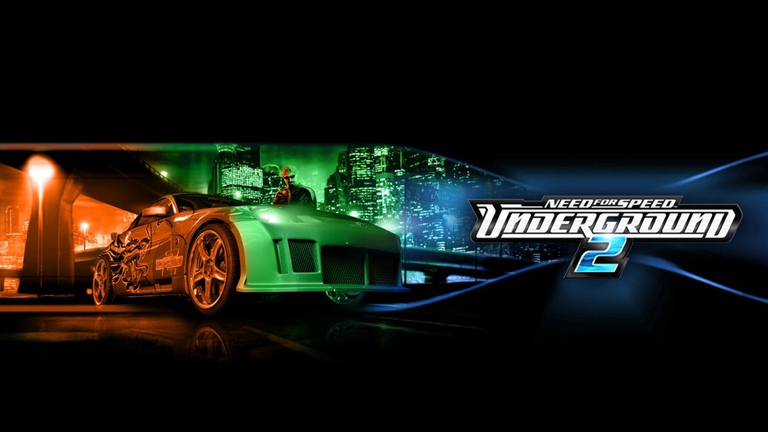
For racing enthusiasts revisiting the classic streets of Bayview, the nfsu2 unlimiter has become an absolute staple in the modding community. Whether you are installing custom vehicle additions or trying to fix lingering asset glitches, this script mod breathes new life into a legendary title. Utilizing the nfsu2 unlimiter allows players to overcome hardcoded limitations, paving the way for seamless customization and modern stability.
Understanding NFSU2 Unlimiter and Its Core Purpose
Released to tackle longstanding engine restrictions within Need for Speed Underground 2, the script mod handles crucial backend adjustments. Community reports and developer notes indicate that the tool primarily focuses on resolving issues related to custom vehicles and event configurations. Without it, modern modded playthroughs often suffer from broken textures, misplaced body parts, and vehicle limit crashes.
Players frequently look to community hubs like NFSMods.xyz to grab the latest stable updates for their setups. By bypassing vanilla limitations, this utility opens up endless possibilities for vehicle configurations, giving modders the freedom to expand their garage far beyond the original developer restrictions.
| Feature Area | Vanilla Limitation | With Unlimiter Applied |
|---|---|---|
| Car Slots | Restricted to default car roster | Supports extensive add-on vehicles |
| Textures | Prone to overwriting core files | Isolated texture management tables |
| Visual Glitches | Floating window decals & alignment bugs | Automatic structural offset fixes |
Key Features and Recent Updates in the Mod
The development of the script has progressed significantly through collaborative efforts by creators like nlgxzef and RadekBledowski. Recent updates introduce sophisticated features designed to polish visual fidelity and ensure compatibility with other popular overhauls, such as the Underground2.net project.
| Version Milestone | Major Addition / Fix | Impact on Gameplay |
|---|---|---|
| v3.1.1 | Stable release baseline | Established core compatibility for custom event lists |
| v4.0.0 (Recent) | Reworked wheel texture attribute handling | Prevents replacement of core game wheels and supports external mods |
| v4.0.0 (Recent) | Rear window decal-to-trunk linking option | Eliminates floating window decals on specific add-on car models |
| v4.0.0 (Recent) | Upscaled spinner outer and dummy textures | Enhances visual sharpness up to 128x resolution |
These improvements highlight the developers’ commitment to maintaining compatibility with older systems while integrating modern modding standards. The integration of specialized license plate texture replacement tables also adds granular control for creators building custom regional variants.
Installation Best Practices and Workflow
Installing script modifications for older racing games requires careful attention to file structures. Failing to follow correct installation order can result in game crashes or missing assets. When preparing your game directory, always verify your base game version before dropping in custom scripts.
| Step | Action Required | Important Note |
|---|---|---|
| 1 | Download official release package | Obtain files from verified sources like GitHub or NFSMods.xyz |
| 2 | Install Binarius script and assets | Essential for proper asset delivery and initial setup |
| 3 | Copy customized builds over release | Only do this if you are compiling source code manually |
| 4 | Test vehicle selections | Check add-on cars for texture integrity and wheel alignment |
Player experience notes suggest that compiling the source code directly without installing the pre-built release assets first can leave your game directory missing critical customized files. Always stick to the recommended binary release installation unless you are actively developing code adjustments.
Technical Composition and Community Collaboration
The engineering behind the project relies heavily on low-level programming languages, with the source code split between C++ (approx. 53.9%) and C (approx. 46.1%). This efficient structure ensures minimal performance overhead during high-speed street races through Bayview.
| Development Aspect | Tool / Language | Purpose in Project |
|---|---|---|
| Primary Language | C++ / C | High-performance memory injection and hook management |
| AI Assistance | GitHub Copilot / Claude | Advanced autocomplete and syntax assistance |
| Quality Assurance | Manual Developer Review | Rigorous testing of all AI-assisted code blocks |
Transparency from the development team regarding AI assistance tools (such as Claude and GitHub Copilot) demonstrates a modern approach to open-source maintenance. Every line of generated syntax undergoes manual testing and approval before being pushed to the main repository.
Frequently Asked Questions
What is the primary purpose of the nfsu2 unlimiter?
The nfsu2 unlimiter is a script mod designed to fix rendering issues, resolve texture conflicts, and lift restrictions on added cars and events in Need for Speed Underground 2.
Where can I safely download the latest version of the mod?
You can download official stable releases from trusted platforms like NFSMods.xyz or directly through the project’s official GitHub repository pages.
Does the mod conflict with other visual or gameplay overhauls?
Recent updates have specifically reworked features—such as wheel texture attribute handling—to ensure full compatibility with community projects like the Underground2.net mod.
Why are my add-on car decals floating after installation?
Recent versions feature automated options that link rear window decals directly to the trunk configuration, resolving the floating decal bug commonly seen on older custom car imports.