
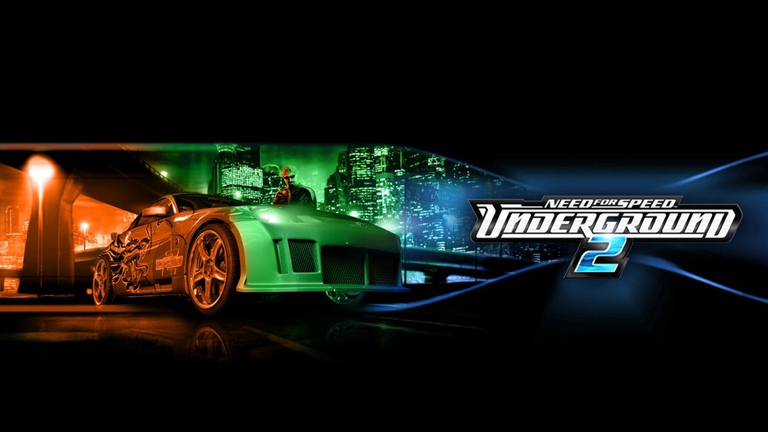
Need for Speed Underground 2 remains a timeless street racing masterpiece, but running it on modern hardware often reveals awkward stretched visuals and black borders. Fortunately, applying the essential nfsu2 widescreen fix completely transforms the classic experience, allowing you to race through Bayview in crisp high-definition resolutions. Whether you are revisiting your childhood favorite or experiencing it for the first time, getting the nfsu2 widescreen fix working on your system takes only a few minutes and permanently cures those annoying default display limitations.
Understanding the Need for Modern Display Patches
When EA Black Box originally developed Need for Speed Underground 2, standard computer monitors were strictly square-shaped (4:3 aspect ratio). Running the game today on modern 16:9, 16:10, or ultra-wide displays without modification leads to severe image stretching, warped HUD elements, and frustrating pillarboxing.
Community reports and player experiences confirm that native configuration files simply cannot handle contemporary display standards. Utilizing dedicated community tools developed by creators like ThirteenAG provides the necessary code injections via ASI loader files to natively support modern resolutions without breaking the game engine.
Modern Display vs. Legacy Resolution Comparison
| Display Attribute | Default Unmodded Game | With Widescreen Patch |
|---|---|---|
| Max Native Resolution | 1280x1024 (4:3) | Up to 4K Ultra HD (3840x2160) |
| Aspect Ratio Behavior | Stretched or pillarboxed | Proportional, accurate scaling |
| HUD Scaling | Distorted across wide areas | Correctly aligned and centered |
| Visual Fidelity | Blurry, low-pixel clarity | Crisp textures on modern monitors |
Step-by-Step Installation of the Widescreen Patch
Setting up the modification package is straightforward if you follow the correct directory structure. Before downloading any files, ensure your copy of the game is cleanly installed in its default directory. For safe and reliable downloads of community assets, you can source official files directly from the NFSMods Widescreen Fixes Pack database.
Follow this sequential breakdown to get your graphics sorted out smoothly:
Phase 1: File Extraction
- Download the compressed archive from a trusted community hub.
- Extract the downloaded RAR or ZIP package using a tool like 7-Zip or WinRAR.
- Locate the core files: a file named
dinput8.dlland a folder labeledscripts.
Phase 2: Directory Placement
- Open your main game installation folder (typically located within your Program Files or custom directory).
- Paste both
dinput8.dlland thescriptsfolder directly into the root directory wherespeed.exeresides. - If Windows asks you to replace or overwrite any existing files, confirm the replacement.
Installation Requirements Checklist
| Component File | Destination Path | Purpose |
|---|---|---|
dinput8.dll | Game Root Folder | Acts as an ASI loader to execute mod scripts. |
scripts/ | Game Root Folder | Contains configuration parameters and mod logic. |
NFSUnderground2.WidescreenFix.ini | Inside scripts/ | Configures desired custom resolution and scaling. |
Configuring Your Custom Resolution via INI Files
Once the core files are placed in your installation directory, you must configure the configuration file to match your monitor’s exact pixel dimensions. Navigate inside the scripts folder and open the NFSUnderground2.WidescreenFix.ini configuration file using any basic text editor like Notepad.
Inside this file, locate the resolution parameters and adjust them according to your monitor capabilities. Popular choices include Full HD (1920x1080), 2K Quad HD (2560x1440), or Ultra HD 4K (3840x2160). Save your changes before launching the executable.
Common Resolution Settings Reference
| Target Resolution | Width Value (X) | Height Value (Y) | Ideal Monitor Type |
|---|---|---|---|
| 1080p Full HD | 1920 | 1080 | Standard 16:9 Monitors |
| 1440p 2K | 2560 | 1440 | Enthusiast Gaming Monitors |
| 2160p 4K | 3840 | 2160 | High-End 4K Displays |
| Ultrawide | 3440 | 1440 | 21:9 Curved Screens |
Optimizing In-Game Graphics and Display Settings
After saving your configuration file, launch the game via speed.exe. Once you reach the main menu, press the Escape key, navigate to options, and open your display settings.
Player experience highlights an important quirk here: do not panic if the in-game resolution selector still displays a legacy default option like 1280x1024. The nfsu2 widescreen fix overrides these visual dropdown menus internally using the parameters you specified in the INI file.
Recommended Visual Settings Setup
| Setting Category | Recommended Option | Reason / Effect |
|---|---|---|
| Level of Detail | Maximum | Enhances environmental object fidelity. |
| Motion Blur | Disabled | Delivers a cleaner, sharper cinematic image. |
| Visual Treatment | Custom / Max | Unlocks maximum reflection and texture details. |
| VSync | Enabled | Prevents screen tearing during high-speed races. |
Troubleshooting Common Setup Issues
While the installation process is generally trouble-free, occasional hiccups can occur depending on your operating system version or launcher environment.
If your HUD elements look overly stretched or pushed off-screen, you are likely running an aspect ratio narrower than 16:9, such as 16:10 or 5:4. In such cases, players recommend utilizing supplementary HUD adapter tools or adjusting the scaling parameters inside the initialization file. Additionally, ensuring your game executable uses a clean No-CD patch prevents digital rights management conflicts with the ASI script loader.
Quick Troubleshooting Guide
| Issue Symptom | Probable Cause | Corrective Action |
|---|---|---|
| Black Bars Present | INI resolution mismatch | Double-check pixel values in the .ini file. |
| Game Fails to Launch | Missing ASI loader | Ensure dinput8.dll is in the root folder, not just the scripts folder. |
| HUD Elements Warped | Non-standard aspect ratio | Toggle HUD scaling options or apply an aspect ratio correction patch. |
Frequently Asked Questions
What does the nfsu2 widescreen fix actually do?
The nfsu2 widescreen fix corrects the native aspect ratio of Need for Speed Underground 2, removes black pillarbox borders, and injects modern high-definition resolution support so the game displays correctly on modern monitors.
Do I need a widescreen display to use this patch?
No. While designed primarily for modern widescreen monitors, these patches can be adapted or utilized across various display setups to improve overall visual stability and game engine performance.
Why won’t my game save my custom resolution?
Make sure you are saving the NFSUnderground2.WidescreenFix.ini file after making edits, and verify that the file is not set to “Read-Only” properties within your Windows file explorer settings.
Will applying this modification get me banned online?
Official online servers for Need for Speed Underground 2 were shut down years ago. Since community multiplayer relies on third-party tools like LAN emulators, visual patches like this do not interfere with legitimate offline or community gameplay.